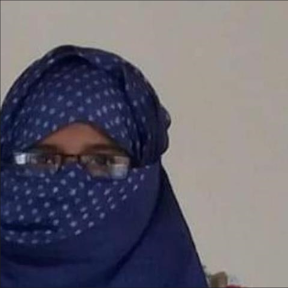
Learn to Earn in 300 Hours Programme
Necessary Instrument: High Configuration Laptop,Android Phone,Note Book,Pen & Net Connection
Session 1.Introduction Speech->i) Presenter & Chief Instructors :Farhana Hoque
->ii)Programme details and Guide line-> CEO & Founder: Md.Shafique Hassan
Session 2. At a Glance all Projects->
1.Project Name: Regration Analysis with Raynold Data Set With Excel
Learning Topics Name:
Time and Duration :
Tools Name:Excel-
Modul:Topics
Output :
Home Work:
Next Project :
Conclusion :
2.Project Name:
Topics Name:
Time and Duration :
Tools Name:>Power BI
Modul:Topics
Output :
Home Work:
Next Project :
Conclusion :
3.Project Name:
Topics Name:
Time and Duration :
Tools Name:->SQL-
Modul:Topics
Output :
Home Work:
Next Project :
Conclusion :
Project Name:
Topics Name:
Time and Duration :
Tools Name:>Python
Modul:Topics
Output :
Home Work:
Next Project :
Conclusion :
:Chief Instructor Farhana Hoque
Session 3. Visualization & Media Transection -> Architect Visualizer: Humayra Binte Shafique
Project Name:
Topics Name:
Time and Duration :
Tools Name:
Modul:Topics
Output :
Home Work:
Next Project :
Conclusion :
Session 4: Download and Installation : Excel, Power BI, SQL, Python, Canva , Primer Pro, Maya, Etc..
->System & Project Manager : Rukaiya Binte Shafique
Project Name:
Topics Name:
Time and Duration :
Tools Name:
Modul:Topics
Output :
Home Work:
Next Project :
Conclusion :
Session 5. Start Power BI Project Learning -> Chief Instructor Farhana Hoque
Project Name:
Topics Name:
Time and Duration :
Tools Name:
Modul:Topics
Output :
Home Work:
Next Project :
Conclusion :
Session 6.Opening all Account ->System & Project Manager: Rukaiya Binte Shafique
Project Name:
Topics Name:
Time and Duration :
Tools Name:
Modul:Topics
Output :
Home Work:
Next Project :
Conclusion :
Session 7.Thumbnail & Profile Picture , Banners -> Humayra Binte Shafique
Project Name:Thumbnail & Profile Picture , Banners
Topics Name:
Time and Duration :
Tools Name:
Modul:Topics
Output :
Home Work:
Next Project :
Conclusion :
Session 8.Git Hub for Teamwork Agency ->System & Project Manager : Rukaiya Binte Shafique
Project Name:Supply Chain
Topics Name:
Time and Duration :
Tools Name:
Modul:Topics
Output :
Home Work:
Next Project :
Conclusion :
Session 9.Start Project with Agency Team on Power BI Project 1.
Project Name:DATA PROFESSIONAL SURVEY BREAK DOWN
Topics Name:
Time and Duration :
Tools Name:Power BI
Modul:Topics
Output :
Home Work:
Next Project :
Conclusion :
Session 10.Project 2.
Project Name:
Topics Name:
Time and Duration :
Tools Name:
Modul:Topics
Output :
Home Work:
Next Project :
Conclusion :
Session 11.Project 3.
Project Name:
Topics Name:
Time and Duration :
Tools Name:
Modul:Topics
Output :
Home Work:
Next Project :
Conclusion :
3-Day Campaign Module
Day 1: Designing with Canva
- Objective: Create a YouTube thumbnail that aligns with branding and content themes.
- Introduction to Canva
- Why do they need Canva?
- Explain the importance of visual content in marketing and branding, particularly for platforms like YouTube. Discuss how Canva offers user-friendly tools to create professional-quality designs, enhancing content appeal and engagement.
- Create an Account
- Guide participants through the process of signing up for Canva. Ensure they understand the different types of accounts (free vs. premium).
- Home User Interface Overview
- Briefly explain the layout of the Canva homepage, highlighting key areas such as templates, projects, and design options.
- Editing User Interface Overview
- Show the main tools and features available when editing a design, including text, images, and elements.
- Create a Design: Thumbnail (Including Color Palettes)
- Walk them through the process of selecting a template or starting from scratch to create a YouTube thumbnail.
- Discuss color theory and how to choose color palettes that align with their brand or message.
- Add text, images, and other elements to complete the design.
- Download and Share
- Demonstrate how to download the finished design in the appropriate format (JPEG, PNG).
- Show how to share the design directly or through links.
- Q&A Session
- Address any questions or concerns about the Canva session.
Day 2: Video Editing with Clipchamp
- Objective: Edit and export a video ready for uploading to YouTube.
- Home User Interface Overview
- Explain the layout of the Clipchamp homepage, focusing on where to find projects, templates, and import media.
- Editing User Interface Overview
- Highlight the timeline, editing tools, media library, and other key components of the editing workspace.
- Edit a Video
- Trim, Cut, and Copy-Paste
- Demonstrate how to trim and cut clips, rearrange them on the timeline, and copy-paste segments.
- Add Elements and Media
- Show how to add text, transitions, overlays, and other media elements to enhance the video.
- Export the Video and Share
- Guide them through exporting the video in the correct format for YouTube.
- Discuss the different sharing options, including direct upload to platforms.
- Q&A Session
- Answer any questions related to the video editing process.
Day 3: Utilizing YouTube
- Objective: Upload a video to YouTube with proper branding and descriptions.
- YouTube Studio: Branding
- Explore the branding options in YouTube Studio, including how to add or update a channel logo, watermark, and banner.
- YouTube Video Upload
- Guide them through the process of uploading a video to YouTube.
- Discuss video titles, tags, and visibility settings.
- Design with Canva
- Revisit Canva to create or refine the thumbnail, watermark, logo, and banner design. Ensure these designs align with their overall branding.
- Generate Descriptions with ChatGPT
- Show how to use ChatGPT to generate compelling video descriptions, including keywords and call-to-action phrases.
- Finish Uploading on YouTube
- Finalize the video upload, ensuring all details are correct, and the video is set to go live or scheduled as per their preference.
- Q&A Session
- Provide time to address any final questions and wrap up the module.
Project Name: YouTube Content Creation and Branding Campaign
Topics Name:
- Day 1: Designing with Canva
- Day 2: Video Editing with Clipchamp
- Day 3: Utilizing YouTube for Uploads and Branding
Time and Duration:
- Day 1: 60 minutes (40 minutes instruction, 10 minutes Q&A)
- Day 2: 60 minutes (45 minutes instruction, 5 minutes Q&A)
- Day 3: 60 minutes (45 minutes instruction, 5 minutes Q&A)
Tools Name:
- Canva (Designing Tool)
- Clipchamp (Video Editing Tool)
- YouTube Studio (Video Upload and Branding Tool)
- ChatGPT (Content Generation Tool)
- Extras : Coolors (Color palatte generator)
Module: Topics
Day 1: Designing with Canva
- Objective: Create a YouTube thumbnail and brand elements.
- Key Topics:
- Why Canva is essential for content creation.
- Account creation and user interface overview.
- Design creation, including color palette selection.
- Downloading and sharing designs.
- Output: A professionally designed YouTube thumbnail.
Day 2: Video Editing with Clipchamp
- Objective: Edit and prepare a video for YouTube.
- Key Topics:
- Understanding the home and editing interface.
- Video trimming, cutting, and element addition.
- Exporting and sharing the final video.
- Output: A fully edited video ready for upload.
Day 3: Utilizing YouTube for Uploads and Branding
- Objective: Upload a video to YouTube with appropriate branding and descriptions.
- Key Topics:
- Branding through YouTube Studio.
- Video upload process and metadata optimization.
- Thumbnail and branding design using Canva.
- Generating video descriptions with ChatGPT.
- Output: A video uploaded to YouTube with complete branding and optimized descriptions.
Homework:
- Day 1: Create an additional thumbnail for another video using Canva.
- Day 2: Edit a different video using Clipchamp and export it.
- Day 3: Upload another video to YouTube and apply branding elements and descriptions.
Next Project:
- Project Name: Advanced Video Content Strategy
- Focus: Advanced video editing techniques, SEO optimization for YouTube videos, and audience engagement strategies.
Conclusion:
- Summary: Over three days, participants will have gained hands-on experience with Canva for design, Clipchamp for video editing, and YouTube Studio for content upload and branding. They will be equipped to create, edit, and brand their content effectively.
- Final Note: Practice consistently and explore additional features of each tool to enhance the quality of content. The skills acquired will serve as a foundation for more advanced content creation projects.